Word template repair · Paxton Raithel
Keep your template.
Fix the numbering.
If adding or moving a heading throws off your document’s numbering, send me a short description. I’ll review the problem in writing and tell you whether it fits a focused repair.
Start with a description, not a confidential document. No payment is requested until the file and required software are qualified.
A heading repair that
survives a section move.
One subsection had the wrong heading style. Correcting that style restored the numbering; a deliberate section move then checked that it still worked. The wording stayed intact.
“Check the sample contents”2Incorrect main-section number
One heading shifts the whole sequence.
“Check the sample contents” has the wrong heading style. It becomes section 2, and Dispatch shifts to 3.
The subsection becomes section 2; Dispatch shifts to 3.
Open full-size page (opens in a new tab)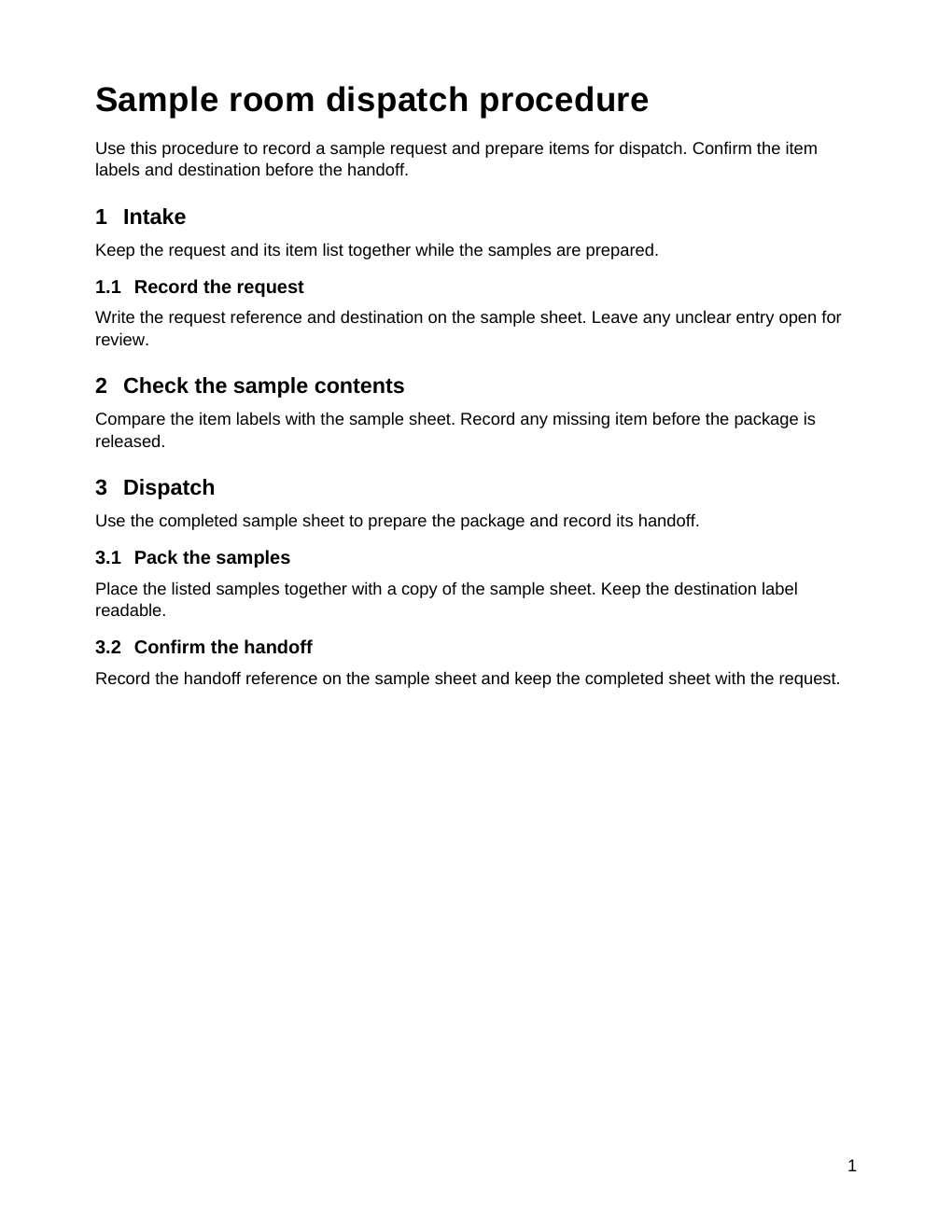
“Check the sample contents”1.2Correct subsection under Intake
The right level restores the order.
Changing that one heading style makes it a subsection of Intake. Dispatch returns to section 2. The wording stays intact.
The subsection becomes 1.2; Dispatch returns to 2.
Open full-size page (opens in a new tab)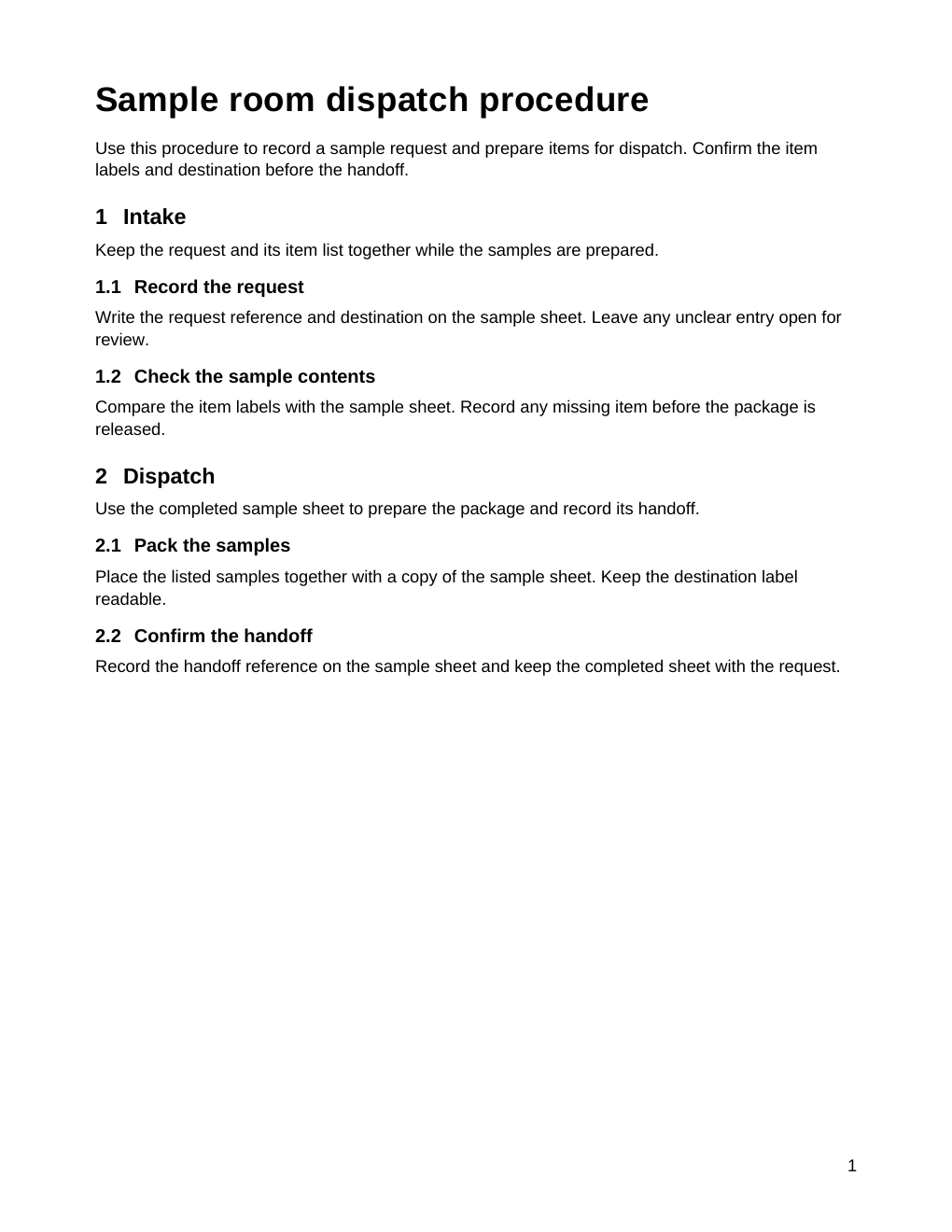
“Check the sample contents”2.2Correct subsection after moving to Dispatch
Then test the edit that used to break it.
Move the subsection into Dispatch. It becomes 2.2, and “Confirm the handoff” becomes 2.3. The hierarchy carries the numbering.
Move the subsection into Dispatch: it becomes 2.2 and the next heading becomes 2.3.
Open full-size page (opens in a new tab)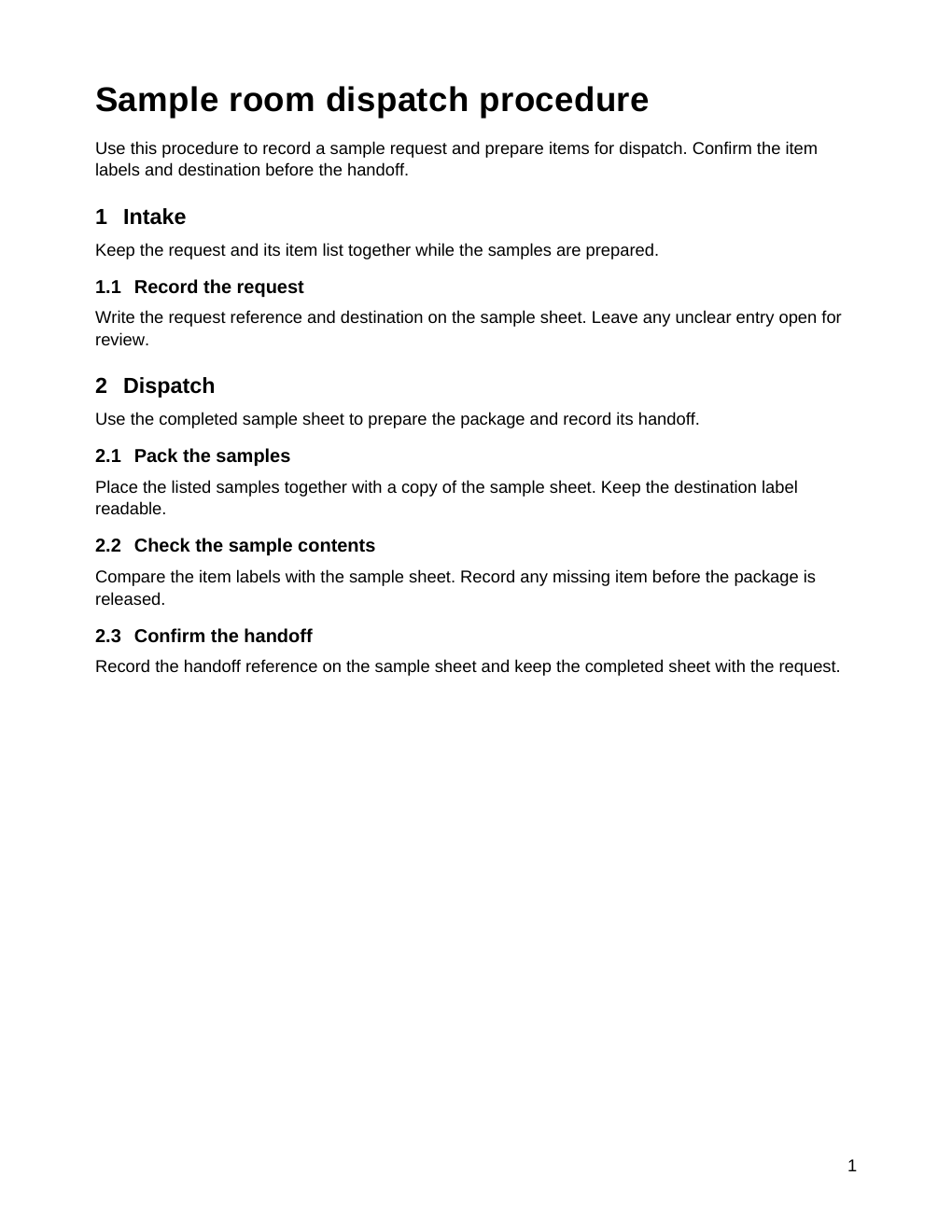
All three one-page files were tested in the bundled LibreOffice renderer. Native Microsoft Word verification is still pending.
Choose a version. Keyboard: Left/Right arrows, Home or End. Open the full-size page to inspect the original image.
What the repair includes
The first service covers headings and numbering in an existing macro-free DOCX, up to 20 pages and 5 MB. Your existing wording and agreed layout stay intact.
What comes back
Your repaired editable file
The agreed heading or numbering problem addressed in your DOCX.
A PDF from the agreed software
A reference for the layout checked during the repair.
A short explanation
What changed, and how to make the agreed edit in your own copy.
One correction round
Checked against the scope and acceptance checks agreed by email.
Contents lists, cross-references, mail merge, macros, redesigns and other document systems need a separate assessment.
All in writing.
The scope, software, price and delivery date are agreed in writing before work starts.
Describe the problem.
Start with your software and version, what you changed, and what you expected to happen. No confidential file needed for the initial request.
Agree on the checks.
Confirm the file, the exact problem, the required software, the price and the delivery date by email.
Try the repaired file.
Receive the repair and verify the agreed edit in your own software against the agreed checks.
Tell me what breaks.
Request a written assessment. I’ll review your description and let you know whether a focused repair fits.
No upload.
No payment at this step.
Five short fields, then an editable email. You review and send it yourself.
This page prepares an email; it never sends automatically. Your details stay in this page’s memory. Your draft is not saved. Reloading or leaving this page can lose it, so copy it before you go. Start with a description, without confidential information or attachments.